
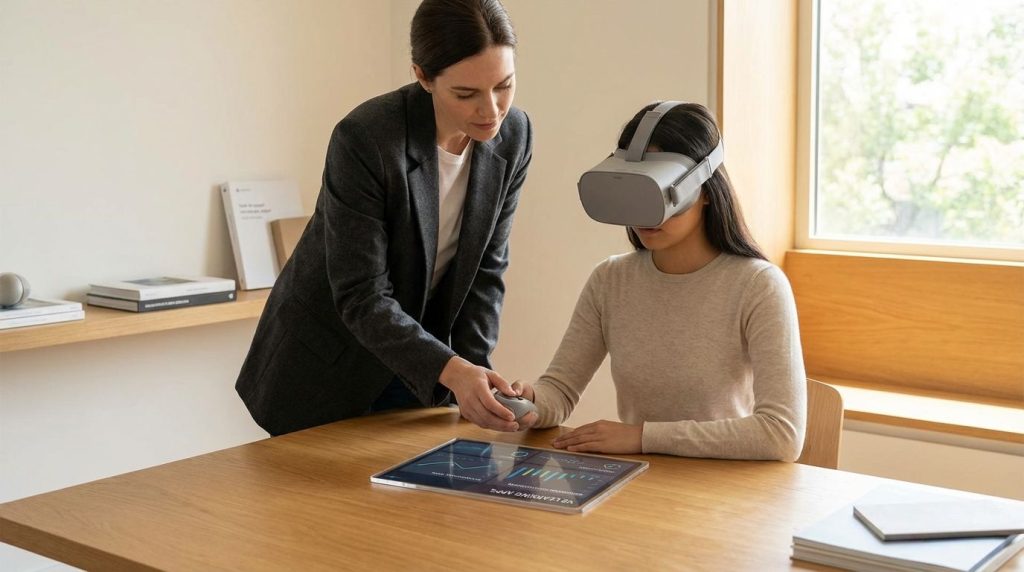
Virtual reality apps deliver immersive learning when you use them to build procedural fluency, spatial understanding, and communication performance, not when you treat them like a 3D textbook. The best VR learning results show up when you can repeat a task, get feedback fast, and measure competence in minutes, not vibes.
You’re about to get a field-tested view of what works in VR training across education, workforce development, and lab-based instruction. You’ll walk through which app categories matter, where language learning in VR fits, how to manage headsets without chaos, and how to defend outcomes with metrics leadership respects. You’ll also get date-specific platform updates that affect budgeting and device rollout decisions.
What Are The Best VR Apps For Immersive Learning Right Now (By Subject)?
You’ll get the most value when you match VR apps to subjects that reward physical interaction and spatial reasoning. Lab safety, equipment workflows, anatomy, field trips, and soft-skills simulations tend to perform well because the learner’s body and attention are engaged in the same loop as the content. When the subject is mostly memorization, VR can still help, yet it usually needs a tight objective and short sessions to stay efficient.
One proven pattern is pairing one “platform” app that supports many lessons with a few single-purpose simulations that map to your highest-risk skills. CDC’s OneLab VR is a strong example in clinical and public health lab training, built around a virtual facility that supports multiple labs and scenario-based learning with emphasis on safe practice without consuming real supplies. The OneLab VR page describes an expanding suite of training scenarios, a multiplayer space for live instruction, and short scenario lengths designed to familiarize learners with equipment, safety, and procedures.
You can also plan your content library around what you need to control: pacing, assessment, and repeatability. OneLab VR explicitly positions short scenarios for quick familiarity, and it also states that training scenarios include videos, voice-overs, and animations to support tasks, which is useful when you need consistent instruction across multiple instructors and sites.
Do VR Learning Apps Improve Outcomes Or Mostly Boost Engagement?
You can defend VR budgets when you treat VR like a skills lab that compresses practice cycles. When learners repeatedly complete a sequence under constraints, VR can outperform slide-based training on speed to competence, retention of steps, and confidence in execution. Engagement still matters, yet it’s not the claim that secures long-term funding, operational impact does.
Look for VR apps that make decisions visible: the learner chooses tools, follows order of operations, applies safety steps, and gets immediate correction. The OneLab VR program includes “Quick Stats” on pilot tester agreement around practical experience and ease of learning, which shows how teams often report value when VR is tied to real tasks and a clear evaluation instrument.
AI-driven conversation is also pushing VR outcomes beyond “cool demo” status, especially in communication-heavy training. A 2025 arXiv paper on CLiVR describes a VR conversational learning system using large language models, speech processing, and 3D avatars to simulate doctor-patient interactions, deployed on Meta Quest 3, with an expert study (medical school faculty, n=13) reporting strong acceptance and confidence in educational potential. Treat this category as performance rehearsal: you measure talk time, question quality, tone, and completeness, then rerun the scenario until it’s right.
What VR Headset And Platform Works Best For Schools And Training Teams?
For most learning deployments, standalone headsets win on throughput because they remove the “PC per learner” bottleneck. Your real constraint in education and training is rarely rendering power, it’s session turnover, headset readiness, login friction, and whether an instructor can keep a class moving. A consistent standalone fleet lets you run rotations, keep lesson timing predictable, and reduce tech support overhead.
Platform maturity matters as much as the headset. Meta announced that Meta for Education became generally available on February 26, 2025, positioning it as an education offering built on Meta Horizon managed services and sold as a headset plus subscription bundle for education control and access to third-party content across subjects. That GA milestone is important because it signals ongoing institutional packaging rather than a hobbyist-only pathway.
Procurement and planning also depend on what the management layer is doing right now, not what it did two years ago. ManageXR’s help center update states that Meta Horizon managed services would be free starting February 20, 2026, and also notes a change in commercial SKUs and a maintenance mode commitment through January 4, 2030. If you’re building a multi-year program, those dates belong directly in your risk register and your budget narrative.
How Do You Manage VR Devices, Logins, And Classroom Safety Without Chaos?
You manage VR at scale by designing for shared devices, predictable sessions, and fast resets. The fastest programs standardize on a small number of headset models, lock down the app catalog, and run lessons in modules short enough to rotate learners without the instructor improvising. When the operational plan is tight, VR stops being “special equipment” and becomes normal instructional infrastructure.
Device mode selection is where many deployments either stabilize or fall apart. ManageXR documents two Meta Horizon device modes: Shared Mode for multi-user devices without a Managed Meta Account on-device, using restricted kiosk-style experiences and sessions to refresh state between users, and Individual Mode for 1:1 devices tied to a Managed Meta Account with default device menus. If you’re running a cart, a lab, or a training room, Shared Mode is usually your baseline because it reduces identity friction and protects the device state between learners.
Real programs also publish practical requirements that map directly to day-one readiness. CDC’s VR-Ready Laboratories Program lists requirements like a site point-of-contact, Wi‑Fi, a mobile device for setup, a Meta account, and space requirements, plus operational expectations for staff participation in courses and walkthroughs. That’s the shape of a rollout that survives past the pilot: clear ownership, clear setup needs, and clear completion targets.
What Complaints Will Learners Have (Comfort, Motion Sickness, “This Didn’t Teach Me”) And How Do You Fix Them?
You can predict the top failure modes before the first headset arrives. Learners complain about comfort when sessions run too long, when fit is inconsistent across users, and when you push intense locomotion before acclimation. Instructional complaints show up when VR content is treated like entertainment: lots of visuals, not enough feedback, no clear success criteria.
Fixes are operational and instructional, not philosophical. Operationally, your program needs a standard fit check, controller readiness, boundary setup, and short breaks baked into the schedule. Instructionally, your VR module needs a defined skill target, a clear “done” condition, and an immediate debrief path that ties actions to performance.
One efficient tactic is to start every learner with a low-stakes “controls and movement” scenario before you grade anything. OneLab VR includes a Practice Environment Scenario designed to refine VR skills in a science-classroom-like environment with interactable objects, and it’s scoped to 10–15 minutes with objectives focused on comfort moving around, manipulating objects naturally, and feeling confident before moving into lab skill scenarios. That’s the right sequencing for reducing early drop-off and keeping your later assessments fair.
Is VR Language Learning Effective, Or Is It A Gimmick?
VR language learning is effective when you use it for confidence, spoken repetition under light pressure, and situational recall. It’s weaker when you expect it to deliver foundational grammar instruction or large-scale vocabulary acquisition faster than a spaced repetition system on a phone. Treat VR language apps as a speaking gym that you enter after you already know what you’re trying to say.
Mondly positions its VR product around realistic dialogues and pronunciation feedback, with the Mondly VR page highlighting conversation practice in scenarios and instant feedback on pronunciation. Steam’s Mondly VR listing also describes speech recognition and scenario-driven dialogues, and it shows a mixed review profile, a reminder that learner expectations and speech recognition tolerance vary widely across audiences. You’ll get better results when you set expectations upfront: VR is practice, not primary instruction.
If you want a lower-pressure path that still drives repetition, game-structured language learning can hold attention longer. The Steam page for Noun Town: VR Language Learning states “1,000+ words & phrases,” mini-games, and NPC interactions across themed areas, which fits a vocabulary-building loop that feels less like an oral exam. This category tends to work well as a supplemental station in a rotation model, where you measure consistency, streak adherence, and quiz performance rather than open-ended speaking quality.
How Should You Pilot VR Learning Apps In 2 Weeks Without Wasting Time Or Budget?
A two-week pilot succeeds when you pick one skill your team already cares about, then measure it the same way before and after. You’re not validating “VR,” you’re validating a learning workflow that can scale. Keep the app list tight, keep the module length short, and control the environment so results aren’t skewed by headset confusion.
Week one is for readiness and baseline performance. You standardize the device mode, lock the app list, train instructors on session flow, and run learners through a comfort and controls session before you record any performance metrics. If the training resembles lab work, a short “practice environment” module like OneLab VR’s is the right kind of gate because it separates VR comfort from domain skill.
Week two is for repetition and proof. You run the same module enough times to show improvement in time-to-complete, error rate, and instructor intervention rate, then you collect learner confidence only as a secondary measure. When leadership asks what changed, you answer with numbers: completions per hour, percent of learners reaching competence threshold, and reduction in re-teaching time during live instruction.
What Are The Best VR Apps For Immersive Learning?
- Pick apps that train tasks, not passive viewing
- Use OneLab VR for lab workflows, safety, equipment practice
- Use language VR for speaking confidence, roleplay repetition
- Deploy with Shared Mode for classrooms, fast resets
Build A VR Learning Stack You Can Defend In Any Budget Review
You get durable results when you connect VR apps to one operational goal: faster competence, fewer errors, cleaner instruction time, safer execution, better communication performance. Your strongest moves are boring on purpose: Shared Mode for multi-user fleets, short modules that fit rotations, a practice-onboarding scenario before graded work, and a measurement plan that uses time, errors, and completions per hour. Meta for Education’s GA date of February 26, 2025 and the Meta Horizon managed services change effective February 20, 2026 matter because your program lives or dies by deployment friction and predictable costs, not just content quality. Lock those platform realities into your rollout plan, then build your content library around scenarios learners can repeat until they perform correctly.
References
- OneLab VR | OneLab REACH (CDC)
- VR-Ready Laboratories Program | OneLab REACH (CDC)
- OneLab VR: Practice Environment Scenario | OneLab REACH (CDC)
- New Meta For Education Offering Is Now Generally Available (Meta Newsroom, Feb 26, 2025)
- Meta Horizon Device Modes | ManageXR Help Center
- Update: Meta Horizon Managed Services Will Be Free Starting Feb 20, 2026 | ManageXR Help Center (last updated Jan 23, 2026)
- CLiVR: Conversational Learning System In Virtual Reality With AI-Powered Patients (arXiv:2510.19031, submitted Oct 21, 2025)
- Mondly: Learn Languages In VR (Steam)
- Mondly VR (Official Site)
- Noun Town: VR Language Learning (Steam)
- Noun Town (Official Site)