
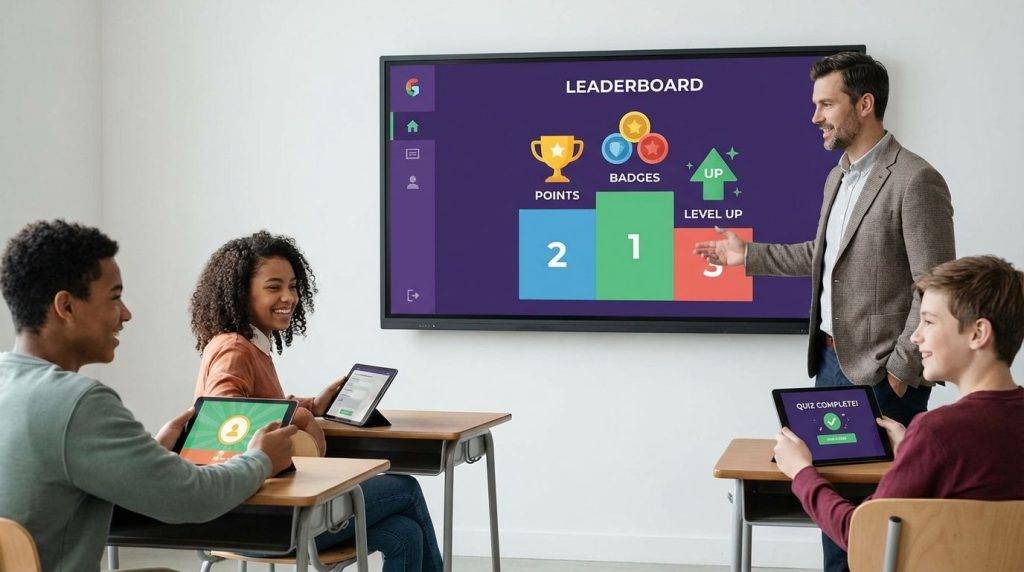
Gamification platforms boost student motivation by turning everyday practice into visible progress, fast feedback, and meaningful choice you can manage in minutes, not hours. When you pick the right tool for your goal, you get more participation, cleaner data on learning gaps, and fewer “I’m done” moments.
You can use this guide to choose platforms that match your grade level, your district’s rules, and your tolerance for setup time. You’ll also leave with a practical decision method, a ready-to-run starter stack, and implementation moves that keep motivation strong without turning your room into a constant competition.
Which Gamification Platforms Actually Boost Student Motivation (And Not Just “Make It Loud”)?
Student motivation rises when the game layer reinforces progress you can point to: mastery over a skill, a streak of effort, improved accuracy, better collaboration, stronger habits. If the “win condition” is only speed or public ranking, motivation spikes for a few students and drops for everyone else, then you spend the rest of the week managing the aftereffects.
You get the best results when you use gamification for what it does best: short feedback loops. Students respond when they can answer, see results, adjust, and try again quickly. That is why quiz-game platforms work well for retrieval practice and formative checks, and why classroom culture tools work well for routines and recognition that remain stable across the week.
Selection becomes easier when you separate tools into two jobs. Quiz-game tools drive energy, repetition, and fast checks for understanding. Culture tools handle points, expectations, and family communication that support motivation over time. When you stop forcing one tool to do both jobs, you reduce friction and get a better long-term effect with less teacher labor.
What Are The Best Kahoot!, Quizizz, Gimkit, And Blooket Alternatives For Classroom Engagement?
If the goal is engagement you can sustain, look at alternatives through three lenses: the student experience, the teacher workflow, and what a district will approve. Many teachers default to whatever students already know, yet “familiar” can mean you inherit limitations around rostering, reporting, or plan restrictions. A better play is to choose one primary game platform for your routine, plus a backup option that runs well when devices, logins, or schedules break.
Gimkit earns its place when you want students to stay engaged beyond the first few questions. The gameplay adds strategy and a light economy loop that keeps participation steady during longer review sessions. If you run weekly review days, this platform often supports the best time-on-task per minute of setup because students stay in the activity without constant prompting.
Blooket
Quizizz
Kahoot!
ClassDojo
How Much Do Classroom Gamification Platforms Cost For Teachers, Schools, And Districts?
Pricing matters less than licensing shape. A teacher-friendly “freemium” tool can still become a problem once the district asks for SSO, rostering, data agreements, or a guaranteed ad-free experience. That is where many schools shift from individual accounts to building-level plans, or block a tool that cannot pass procurement or privacy review.
Start with the cost you control as a classroom teacher, then forecast what happens when your usage expands. If a platform becomes part of your daily workflow, you do not want it to break mid-year because your free tier hits limits, or because the district decides it must be centrally managed. Treat the free tier as a pilot, then decide whether you can justify a paid plan, whether a department can share, or whether the district needs the license.
Here are vendor-documented examples that help anchor budgeting conversations. Gimkit Pro is billed annually at $59.88, which makes it straightforward to request as a classroom supply purchase or a department reimbursement when you can tie it to measurable review outcomes. Blooket states it is free to use with optional Plus upgrades, so you can run it without budget approval and upgrade later if you need specific features. Kahoot provides a schools pricing page and directs educators to school and district options, which signals a licensing route that many administrators prefer when they want standardization and shared governance.
Quizizz often sits in the “school plan” category for advanced features that matter to administrators, including accommodations and premium content workflows. That means you can start quickly, yet you should confirm which features remain available on your school’s plan versus a personal plan, especially if your implementation depends on accommodations or expanded reporting.
What Features Should You Compare When Choosing A Gamification Platform?
Feature lists look similar across platforms, so the win goes to the tool that matches your classroom reality. Compare features by the motivation mechanism you need today, not by the marketing language. A platform that shines in a 10-minute warm-up can fail in a 40-minute review block, and a platform that produces excellent reports can still fall flat if setup time is too high.
Start with motivation mechanics you can control. Points and leaderboards increase urgency, yet they also create a “winner’s circle” if you always display ranks publicly. Look for settings that let you balance visibility, rotate team-based scoring, or focus on personal progress. If you want sustained motivation across a unit, prioritize progress paths, repeatable routines, and lightweight quests that do not require you to manually track everything.
Then evaluate teacher controls that reduce friction. A strong platform gives you pacing options, assignment modes, question banks, and easy content reuse. You also want anti-cheat settings, randomized questions, and clear session management so you spend your time teaching rather than troubleshooting. Reporting should answer one question fast: who needs what, and what should happen tomorrow?
Accessibility and differentiation need a hard look before you roll a tool out across a grade level. Quizizz documents accommodations that are available under certain Schools and Districts plans, which matters if your intervention workflows rely on those settings. When you can align game practice with accommodations, you keep motivation high for students who otherwise disengage when the activity moves too fast or is not readable for them.
Are Gamification Apps Allowed By Districts (Privacy, Ads, Family Communication, And Tool Bans)?
Approval is often the real gate, not teacher interest. Districts evaluate tools for student data handling, identity management, and whether the platform overlaps with official communication channels. If the tool includes parent messaging, your district may treat it as a communications product, not “just a classroom app,” which triggers stricter rules.
Educator community threads show a recurring pattern: teachers build routines in a platform, then a policy change forces a switch. That is why you should separate your motivation system from your platform. Your system is the set of habits you run every week, the rules for points, the reward structure, the recognition routine. The platform is the delivery mechanism. If you can swap the delivery mechanism without losing the system, you stay resilient when policies shift.
When evaluating tools for approval risk, look for SSO and rostering support, school and district licensing paths, and clear privacy language geared to K–12. Kahoot’s trust and support materials discuss compliance with laws that matter to U.S. schools and outline how student data is handled under school services. That kind of documentation helps when administrators ask for evidence during vendor review.
Also watch the “family experience” inside a freemium product. If parents perceive constant upsells, district leadership often becomes cautious, even if the teacher-facing features are free. When your motivation plan depends on family visibility, confirm that the experience remains aligned with district expectations before you scale the rollout.
What Is A Practical Starter Stack For Gamifying A Classroom Without Burning Out?
You need a stack that you can run on autopilot once it is built. The most sustainable stack uses one quiz-game platform for retrieval practice, one culture platform for recognition, and one reward routine that stays consistent. Keep the loop tight: clear objective, short activity, immediate feedback, quick record, quick next step.
For many classrooms, a workable stack looks like this. Use Gimkit for weekly review blocks where you want longer attention and students who usually drift to stay engaged. Use Blooket for short bursts, rotations, or homework-style modes where you want variety with minimal setup. Use ClassDojo for daily recognition tied to routines, effort signals, and collaboration behaviors that you can name and reinforce.
Guard your time with two rules. Lock your game days to a schedule so you are not rebuilding content daily. Keep rewards classroom-native: privileges, choices, recognition, roles, and visible progress, not a constant prize economy you must manage and fund. When you standardize what earns points and how points convert into privileges, you remove negotiation and keep motivation stable.
Also set an exit ramp. If a tool gets blocked, you need a backup plan you can run the next day. Store your questions in reusable formats, keep a lightweight alternative ready, and document your routines so you can rebuild fast without losing momentum.
Best Gamification Platforms For Student Motivation
Use Gimkit for strategy-based review, Blooket for quick game modes, Quizizz for assignments and accommodations, Kahoot for live quizzes, ClassDojo for culture and recognition.
Turn Motivation Into A Repeatable Weekly System
Gamification works when you run it as a repeatable routine, not a one-off event. Choose platforms based on your goal, retrieval practice, classroom culture, or differentiated assignments, then align features to your constraints, time, devices, and district rules. Protect student motivation by managing visibility of scores, reinforcing personal progress, and keeping rewards tied to effort and habits you want to see again tomorrow. Build a starter stack you can run for weeks with minimal setup, then measure results with quick data checks that inform the next lesson. If you treat the platform as flexible and the routine as stable, you keep your room motivated even when policies, plans, or pricing change.
References
- Gimkit Pro FAQ | Gimkit Help
- Blooket Plus Features – Blooket Help Center
- Accommodations Available on Quizizz – Help Center
- Free-For-Schools – Quizizz Help Center
- Kahoot! for Schools: Plans and Pricing
- Kahoot! Trust Center: Privacy Notice
- Kahoot! Help: Age-Based Access Restrictions
- Welcome to ClassDojo! (PDF)
- Free ClassDojo/Point Tracking Alternatives? (Teacher Discussion)
- Alternatives to Classcraft? (Teacher Discussion)
- District No Longer Allows ClassDojo (Teacher Discussion)
- School Communication App Upsells (Parent Discussion)
- No More ClassDojo Help (Teacher Discussion)