
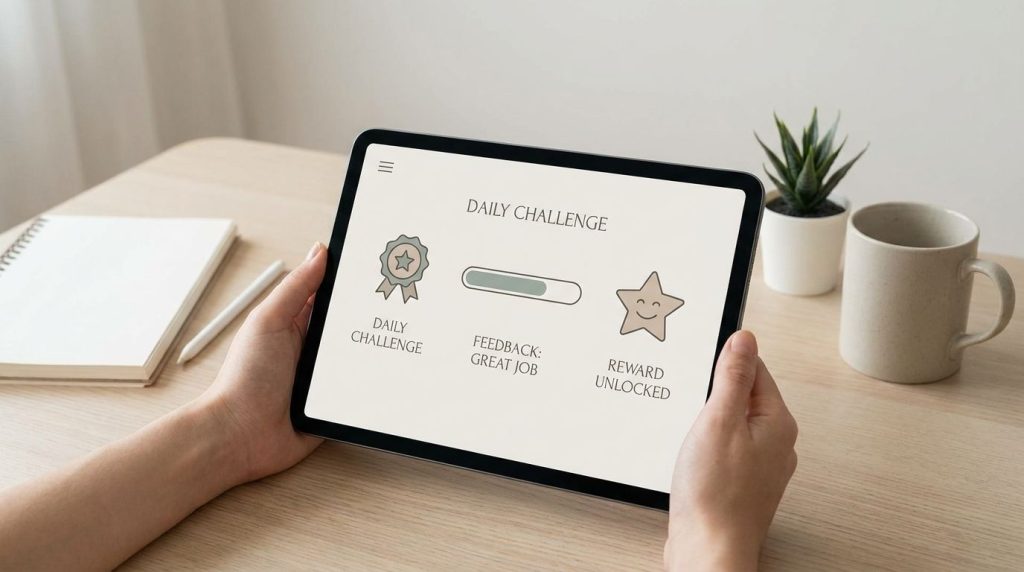
Fun learning apps work because they turn practice into clear goals, fast feedback, and earned progress, so you know what to do, why it matters, and when you’re improving. The best ones don’t cover boring lessons with points; they redesign the learning experience so effort feels rewarding.
A student can stare at flashcards for ten minutes and feel drained, then spend much longer chasing a streak, beating a quiz score, or unlocking the next challenge. That difference comes from design. This article breaks down the game mechanics that make learning feel active, then shows how popular apps use those mechanics for language learning, math, quizzes, classroom review, and independent study.
Why Most Learning Apps Fail To Be Fun
Many educational apps miss the mark because they treat fun as decoration. A badge appears, a sound plays, a cartoon mascot cheers, but the actual task still feels repetitive and disconnected from progress. Learners notice that quickly. When the reward system feels random, the app becomes a worksheet with confetti.
Strong game-based learning does something different. It gives you a clear target, tells you right away whether your answer worked, adjusts the difficulty, and makes the next step feel reachable. That matters for students who lose focus quickly, adult learners who study in short sessions, and teachers who need tools that support real curriculum goals.
The market data also shows that this isn’t a small trend. Game-based learning has grown into a large education technology category, with major platforms serving classrooms, families, and independent learners. Growth alone doesn’t prove quality, so your job is to choose apps that support practice, recall, confidence, and steady skill growth.
The Three Mechanics That Turn Study Time Into Play
The strongest fun learning apps usually rely on three mechanics: immediate feedback, visible progress, and meaningful challenge. These mechanics work because they reduce uncertainty. You don’t sit there wondering whether you’re improving; the app shows you.
Immediate feedback helps you correct mistakes before they become habits. In a strong quiz app, a wrong answer isn’t just marked wrong; you see the correct answer, often with a prompt to repeat the item later. This supports memory because learning depends on retrieval, correction, and repeated exposure.
Visible progress gives effort a shape. Streaks, levels, progress bars, skill trees, and mastery meters turn vague study goals into something you can track. That can be useful when the subject feels abstract, like grammar, vocabulary, fractions, formulas, or historical terms.
Meaningful challenge keeps learners from drifting away. If tasks are too easy, boredom takes over. If they’re too hard, frustration builds. A good gamified app adjusts pace, repeats weak areas, and gives enough success to keep you moving.
Apps That Master Immediate Feedback And Mastery Loops
Immediate feedback is one reason quiz-based apps remain popular. Quizlet, Kahoot!, and similar interactive study tools give learners quick signals after each answer, then encourage another attempt. That loop matters because learning improves when you retrieve information, check accuracy, and repeat weak material.
Quizlet works well when you need flexible study modes. You can review flashcards, test yourself, match terms, and practice recall across subjects. It’s especially useful for vocabulary, definitions, science terms, exam review, and any course where memory needs structure.
Kahoot! turns review into a live challenge. In classrooms, teachers can use it for warmups, checks for understanding, review games, and group energy. Its strength is social speed: students see answers, rankings, and momentum in real time, which can make even routine review feel active.
Mastery loops work best when rewards connect to learning progress. A point total alone doesn’t tell you much. A mastery score, repeated question set, or skill level tells you what you know and where to focus next.
The Power Of Narrative: When Learning Becomes A Quest
Narrative gives learning a reason to continue. A quest, world map, character path, or mission structure makes progress feel connected instead of random. This is especially useful for younger students who need a reason to practice skills that don’t feel rewarding yet.
Prodigy Math is a strong case in this category. It places math practice inside a role-playing game format, where students answer math questions to move through the game. The value comes from connecting practice to choice, progress, and challenge rather than presenting math as isolated drills.
Narrative also helps with confidence. A learner who struggles with math may resist a worksheet, but a quest can make practice feel lower pressure. The subject is still there. The difference is that the app wraps practice inside a goal the learner understands.
You should still look past the story layer. Ask whether the app explains mistakes, adapts to skill level, and gives educators or parents useful progress data. A beautiful game with weak learning design won’t solve the problem.
Social Play Done Right: Leaderboards, Teams, And Peer Challenges
Social mechanics can make learning more energetic, but they need care. Leaderboards, team challenges, and group quizzes work best when they create momentum without embarrassing slower learners. The strongest platforms let you use competition as one option, not the whole learning experience.
Kahoot! is built around this kind of social play. A class can answer the same question set together, compare results, and discuss errors right away. That makes it useful for review sessions, formative assessment, and topic recaps.
Team-based play can reduce pressure. Instead of one student feeling exposed, a group can discuss, vote, and learn from mistakes together. This gives teachers a way to build participation without making every student compete alone.
For parents, the main filter is tone. A leaderboard should motivate, not shame. If a child starts avoiding the app because rankings feel discouraging, switch to a mode that tracks personal growth instead.
How To Spot A Gamified App That Actually Builds Knowledge
A gamified app should help you learn more, not just tap more. Look for feedback quality, skill tracking, adaptive difficulty, spaced review, and curriculum alignment. Those signals tell you whether the app is built for learning or only engagement.
Start with the feedback. Does the app tell you why an answer is wrong, or does it only flash red and move on? Useful feedback shows the correct answer, gives a hint, repeats the concept later, or adjusts the next question.
Then check the progress data. Good apps show specific skills, not just time spent. A parent or teacher should be able to see whether a learner is improving in fractions, vocabulary recall, grammar accuracy, reading comprehension, or another defined skill.
Also review the reward design. Points, badges, and streaks can motivate short-term practice, but they shouldn’t replace understanding. If the learner chases rewards without caring about the subject, the app needs stronger explanations, better challenge design, or clearer learning goals.
The Teacher And Parent Toolbox: Platforms That Align With Real Curricula
Teachers and parents need more than entertainment. You need apps that match grade level, subject goals, available devices, privacy expectations, and budget. A fun app that doesn’t fit your learning plan becomes extra noise.
Common Sense Education is useful for comparing game-based learning apps and websites because it reviews tools with education use in mind. That helps when you’re checking age fit, classroom value, subject coverage, and ease of use. It’s a good starting point when you need options for school or home learning.
Edutopia and EdSurge also offer education-focused guidance on gamification and game-based learning. These sources can help you separate thoughtful design from shallow reward systems. That matters when you’re choosing tools for a classroom, homeschool setup, tutoring plan, or independent study routine.
Device access matters too. Many schools depend on Chromebooks, shared carts, or low-bandwidth setups. Before you commit to a platform, test loading speed, student login steps, teacher dashboard controls, and whether the app works well during a real class period.
Popular Fun Learning Apps And Where They Fit Best
Duolingo fits best when you want short, habit-friendly language practice. Its lessons use streaks, levels, hearts, reminders, and fast correction to keep learners returning. It’s strongest for beginners and casual learners who need daily repetition more than long grammar lectures.
Prodigy Math fits best for elementary and middle-grade math practice. Its game world gives students a reason to answer math questions, and its structure can reduce resistance to repeated practice. It works best when an adult reviews progress and connects in-app practice to classroom or home learning goals.
Quizlet fits best for memorization and recall. It’s useful for terms, definitions, language vocabulary, science facts, historical content, and exam prep. The app is less about story and more about flexible repetition, which makes it a strong fit for older students and independent learners.
Kahoot! fits best for group review and live classroom energy. It can make review sessions faster, louder, and more participatory. Use it when you want shared attention, quick checks, and a reason for learners to discuss answers right away.
What Features Make A Learning App Fun?
- Instant feedback
- Progress bars and badges
- Quests or story goals
- Team challenges
- Adaptive difficulty
- Earned rewards
Choose Fun Learning Apps That Make Effort Visible
The best gamification apps make learning fun by showing progress, correcting mistakes quickly, and giving learners a reason to continue. Choose apps that match the subject, age level, device setup, and learning goal. Use rewards as support, not the main event. If an app helps you practice more often, understand mistakes faster, and build confidence without turning study into empty tapping, it deserves a place in your toolbox.
References
- Grand View Research — Game-Based Learning Market Report
- PubMed — Gamification And Learning Meta-Analysis
- Duolingo Investor Relations
- Kahoot! Company Information
- Prodigy Education Research
- Edutopia — Gamification In Learning
- Common Sense Education — Game-Based Learning Apps And Websites
- EdSurge — Game-Based Learning Guide
- Journal Of Educational Psychology — Gamification Research
- Pew Research Center — Teens And Digital Learning Tools