
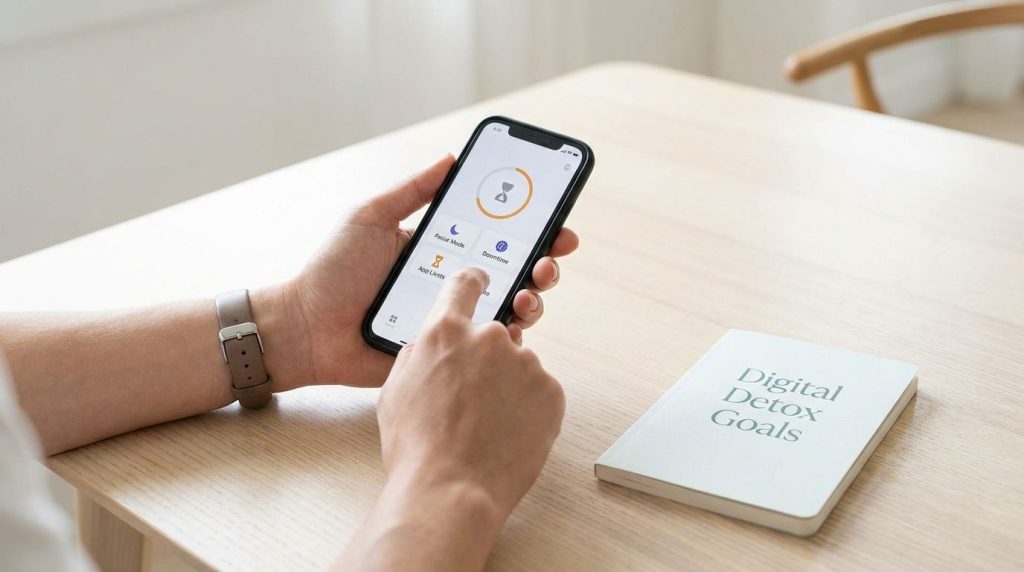
Your phone distraction problem usually does not need more motivation. It needs better friction, stricter boundaries, and the right app for the way you actually use your devices.
If you want a digital detox that holds up during work, study, and late-night scrolling, you need to match the tool to the behavior. Some apps block, some interrupt, some track, and some reward focus. This guide shows you which type fits your habits, where each app helps, where it falls short, and how to build a setup you will keep using.
What Are The Best Digital Detox Apps For Stopping Phone Distraction?
The strongest field right now falls into a few clear categories. You have hard blockers like Freedom and Opal that aim to stop access during focus sessions. You have friction tools like one sec that slow the impulse long enough for you to make a better decision. You also have lighter, habit-oriented options like Forest, plus built-in tools on iPhone and Android that give you baseline control.
If you work across phone and laptop, you need cross-device protection more than clever design. If your problem is opening the same social apps out of habit, you need interruption and delay more than a full lockdown. If your issue is poor consistency, a gamified tool can keep you engaged longer than a strict blocker you resent after two days.
The mistake most people make is choosing an app based on popularity instead of failure pattern. If you bypass limits in moments of boredom, choose a stricter blocker. If you keep opening apps without thinking, choose a friction app. If you only need awareness and guardrails, built-in tools can do more than enough when you set them correctly.
Are IPhone Screen Time And Android Digital Wellbeing Enough?
They are enough when your goal is awareness, lighter limits, and better routines. Apple Screen Time lets you schedule Downtime, set App Limits, and decide which apps remain available at all times. Android Digital Wellbeing gives you Focus mode for pausing selected apps and Bedtime mode for grayscale and quieter evenings, which is useful when distraction peaks at night.
The problem is not features. The problem is enforcement. Built-in tools are good at making you notice your behavior, but they are not always strong enough when you are tired, stressed, or procrastinating. You can often override a limit, postpone a block, or make an exception in the moment you most need the system to say no.
That does not make them useless. It means you should treat them as your free base layer. Use them to schedule downtime, cut notifications, and cap your worst apps. Then add a stricter app only where your behavior keeps breaking through. That gives you a cleaner setup and avoids paying for features you do not need.
What App Blocks Distractions Across Your Phone And Laptop?
If your distraction follows you from mobile to desktop, Freedom stands out because it is built around cross-platform blocking. That matters more than people realize. The moment a phone block starts, your brain looks for the next available screen. If your laptop browser, desktop apps, and phone are all open doors, your digital detox turns into device-hopping.
This is where a synced blocker earns its place. A cross-device tool helps you protect work blocks, writing sessions, study hours, and sleep routines without forcing you to keep renegotiating with yourself. You set one ruleset, one session, one schedule, and your environment starts doing part of the discipline for you.
You should pay close attention to how strict the lock mode is, how easy it is to stop a session early, and whether schedules run automatically. If you rely on memory and good intentions to activate your blocker every time, you will miss the windows when distraction hits hardest. Automation matters more than fancy dashboards.
Is Opal Worth It For IPhone Users?
Opal gets attention because it feels premium and aims at deeper focus control on Apple devices. It is positioned around focus sessions, usage analytics, and a stronger lock experience through its paid Deep Focus mode. If you want your blocker to feel polished, data-rich, and integrated into your daily routine, it makes sense why Opal is on your shortlist.
The real question is whether that polish changes your behavior enough to justify the cost. For some people, yes. A better interface, visible scores, and a more deliberate focus ritual can increase follow-through. A blocker that feels frictionless to start often gets used more consistently than a cheaper app you ignore after setup.
You still need to stay realistic. Tools that rely on system workarounds or local virtual private network style blocking can run into reliability complaints, especially when operating system behavior changes. If you want premium design and stronger structure, Opal is compelling. If you want the hardest possible enforcement, you should compare it against stricter alternatives and test whether its lock strength actually holds up against your habits.
What Is The Best Free Or Budget App To Stop Doomscrolling?
If you want the lowest-cost route, start with what is already on your phone. Apple Screen Time and Android Digital Wellbeing cover scheduling, limits, focus windows, and bedtime control without an extra subscription. That gives you an immediate starting point and helps you identify whether your problem is notifications, endless app openings, or late-night compulsive checking.
After that, one sec is one of the most useful budget-friendly directions because it attacks the impulse itself. Instead of only saying “no,” it inserts a pause between tap and reward. That small interruption matters because doomscrolling is often automatic. You are not deciding to waste twenty minutes. You are opening one app and letting momentum take over.
Forest fits a different kind of user. If you respond well to visible progress, timers, and a simple reward loop, it can help you build better focus sessions with less resistance. It is not the tool for someone who needs airtight blocking. It is the tool for someone who wants to strengthen consistency and make staying off the phone feel more satisfying.
Do Friction Apps Like One Sec Actually Reduce Phone Use?
Yes, friction works when your biggest issue is reflexive app opening. one sec reports average reductions in screen time and app openings by interrupting the exact moment you act on impulse. That model works because the first few seconds matter. Most distraction is not planned leisure. It is a fast, patterned reach for stimulation.
You should think of friction apps as behavior brakes, not prison walls. They are best when you keep opening social media, news, video, or shopping apps without a clear reason. A breathing prompt, short delay, or intention check creates just enough space for your better judgment to catch up. That is a small change with a large behavioral effect.
The upside is flexibility. The downside is that friction is weaker than full blocking. If you are determined to override your limits, you probably will. That is why friction tools work best as part of a stack. Use them for habitual opens during the day, then switch to hard blocking during work sprints, family time, or sleep hours.
Do Digital Detox Apps Actually Work, Or Will You Just Bypass Them?
They work when the tool matches your bypass behavior. If you ignore reminders, soft nudges will fail. If you only slip into distraction through automatic taps, a quick interruption can work very well. If you uninstall apps, disable settings, or bounce to another device, only stricter systems and better environment design will hold.
That is why the most reliable setups combine more than one layer. You track usage with built-in tools, interrupt reflexive opens with a friction app, and reserve hard blockers for the times that matter most. This structure reduces decision fatigue. You are not constantly negotiating with yourself. You are using different controls for different types of distraction.
You should also remove easy escape routes. Turn off nonessential notifications. Move distracting apps off your home screen. Log out of high-trigger services on secondary devices. Put your strongest blocks around the hours that cost you the most money, sleep, or attention. A digital detox app works best when your phone setup stops helping your worst habits.
Step 1: Start With Your Real Distraction Pattern
Before you install anything, identify the exact failure. Do you lose time to social media pickups, endless short video sessions, background notification checking, or browser hopping during work? That answer changes the tool you need. The wrong app can feel ineffective when the real problem is simply a mismatch.
If distraction starts with notifications, built-in controls may solve more than half the issue. If it starts with tapping the same app icon on autopilot, use a friction app. If it starts when you sit down to work and end up switching devices, use a synced cross-platform blocker. Precision matters more than downloading the most talked-about app.
Write down your top three distraction triggers and the times they happen. Morning avoidance, afternoon slump, post-dinner scrolling, and late-night insomnia loops each require different controls. Once you know the pattern, app selection becomes much easier and your setup becomes harder to abandon.
Step 2: Use Built-In Tools As Your Free Control Layer
Set Apple Screen Time or Android Digital Wellbeing before you spend a dollar. Schedule downtime, cap the apps that consume the most attention, and create a nightly shutdown routine. On Android, Focus mode and Bedtime mode deserve more use than they usually get. On iPhone, scheduled downtime with stricter settings gives you a strong baseline.
This layer gives you visibility and routine. You start seeing the hours, pickups, and weak spots that are easy to underestimate. That matters because people almost always undercount their distraction. Once the numbers are visible, you stop managing this as a vague productivity issue and start managing it as a daily operating problem.
Keep the rules tight enough to matter, but simple enough to maintain. Too many custom categories, exceptions, and rotating goals create friction in the wrong place. You want your blocker to feel automatic, not like another system you have to manage every day.
Step 3: Add One Friction Tool For Impulse Opens
If your hand reaches for Instagram, YouTube, Reddit, shopping apps, or news feeds before you think, install a friction tool. one sec is built for this exact pattern. It interrupts the opening sequence and makes the moment visible. That changes your relationship with the app because you stop entering it unconsciously.
This is where many people notice fast wins. A hard blocker can feel too strict too early, which causes pushback and workarounds. A friction app feels lighter, but it still cuts a large amount of wasted attention when your issue is automatic behavior. That makes it easier to stick with long enough to get a measurable shift.
Choose only a small number of target apps at first. If you interrupt everything, you create noise. If you interrupt the top two or three triggers, the pattern becomes obvious fast. Keep the intervention focused on the places where you lose the most time.
Step 4: Use A Hard Blocker For High-Stakes Hours
There are times when you should not rely on willpower at all. Deep work, exam prep, client delivery, bedtime, and family hours need stronger walls. This is where Freedom or a similarly strict blocker becomes useful. You create a defined period where certain apps, sites, or the entire internet stop being options.
The strongest value here is not restriction. It is pre-commitment. You make the decision before temptation shows up. That changes the battle from “Will you resist right now?” to “Did you set the system correctly earlier?” The second question is easier to manage and much more reliable.
Use hard blocking in narrow windows with a clear purpose. A two-hour work sprint, a ninety-minute study block, or a nightly wind-down schedule is easier to maintain than an all-day lockdown. Tight focus windows create stronger compliance and reduce the urge to rebel against your own setup.
Step 5: Use Gamified Focus If You Need Motivation More Than Force
Forest works best when your problem is consistency, not technical enforcement. It turns a focus session into a small commitment with visible progress. If you enjoy streaks, timers, and light reward mechanics, that can make focus more appealing and distraction less casual.
You should not expect gamification to stop severe compulsive phone use on its own. It is lighter than a true blocker. Yet that is exactly why it works for some people. A gentler tool creates less resistance, which means you keep using it. Long-term behavior change often comes from repeatable systems, not punishing ones.
Use this type of app when you want to build a daily rhythm around reading, studying, writing, or admin work. It can also pair well with built-in limits. The timer gives you motivation, and the system settings give you boundaries.
Step 6: Build A Digital Detox Stack You Will Keep Using
The best setup for most people is not one app. It is a stack. Keep built-in controls on at all times. Add a friction app for your worst impulse triggers. Add a hard blocker for serious focus windows or sleep protection. This creates coverage across awareness, interruption, and enforcement.
You do not need a crowded app drawer to make this work. You need a clean division of labor. One tool tracks, one tool slows you down, one tool blocks. That is simple, effective, and easier to maintain than switching between random experiments every week.
Review your setup after two weeks. Look at which rules you ignored, which windows worked, and which distractions still slipped through. Tighten only what failed. That keeps your system practical and stops you from turning digital detox into another abandoned productivity project.
The Best Apps to Fight Phone Distraction
- Best all-around: Freedom for cross-device blocking and scheduled focus.
- Best for iPhone: Opal if you want premium sessions and analytics.
- Best for impulse scrolling: one sec for interruption and delay.
- Best free starting point: Screen Time on iPhone, Digital Wellbeing on Android.
- Best for motivation: Forest for gamified focus sessions.
Set Your Phone Up To Serve You, Not Pull You Off Track
Your digital detox does not succeed when you find the perfect app. It succeeds when your phone stops making distraction the default. Start with built-in controls, add friction where your habits run on autopilot, and use hard blocking when your time has real stakes. Keep your setup simple, measurable, and strict only where it needs to be. Once your environment starts carrying part of the load, focus feels less like a daily fight and more like your normal operating mode.
References:
- Apple Support: Set Schedules With Screen Time on iPhone
- Android: Digital Wellbeing
- one sec: one sec
- Neurosity: Best Phone Distraction Blockers
- Blok: The 7 Best App Blockers in 2026.